

一、电脑版(Computer version)
1.下载程序(Download the program)
点击下方加粗字体进入下载界面
Click on the bold text below to enter the download interface
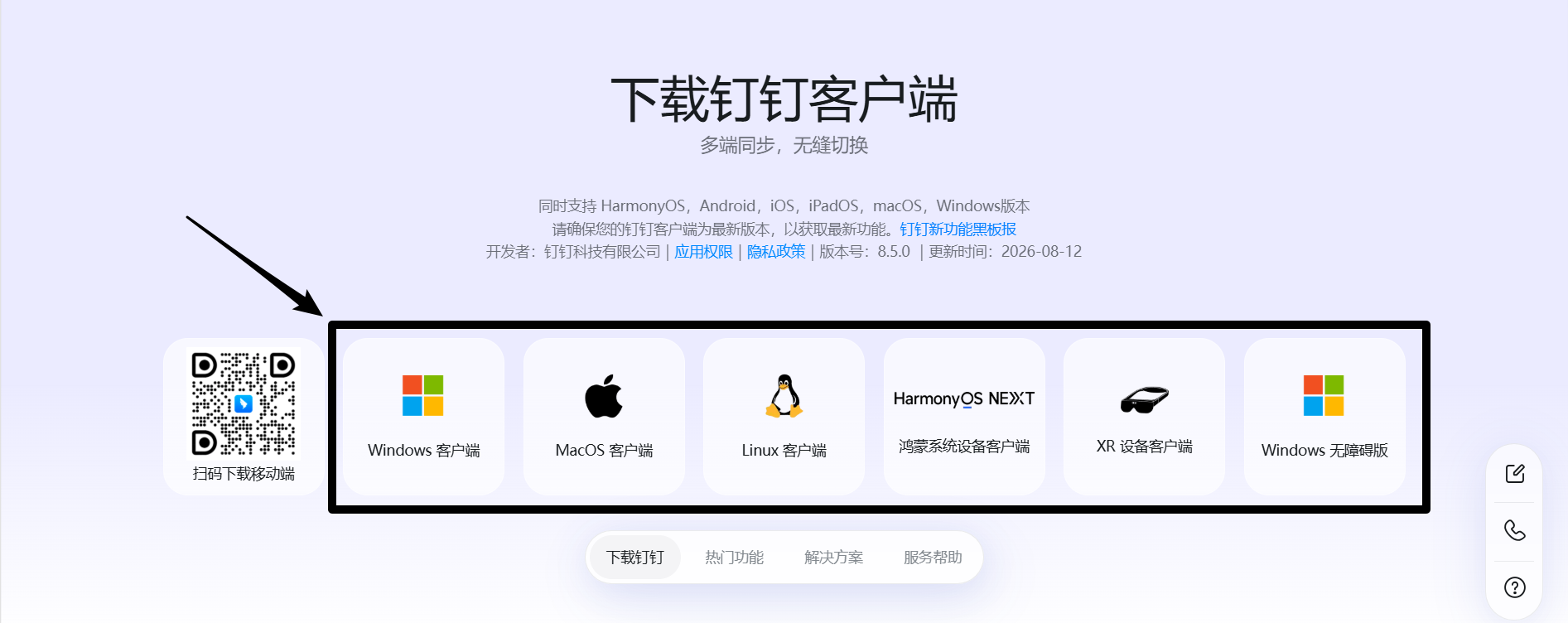
Click on the download icon according to the type of your device.
2.安装程序(Installation program)
①Windows
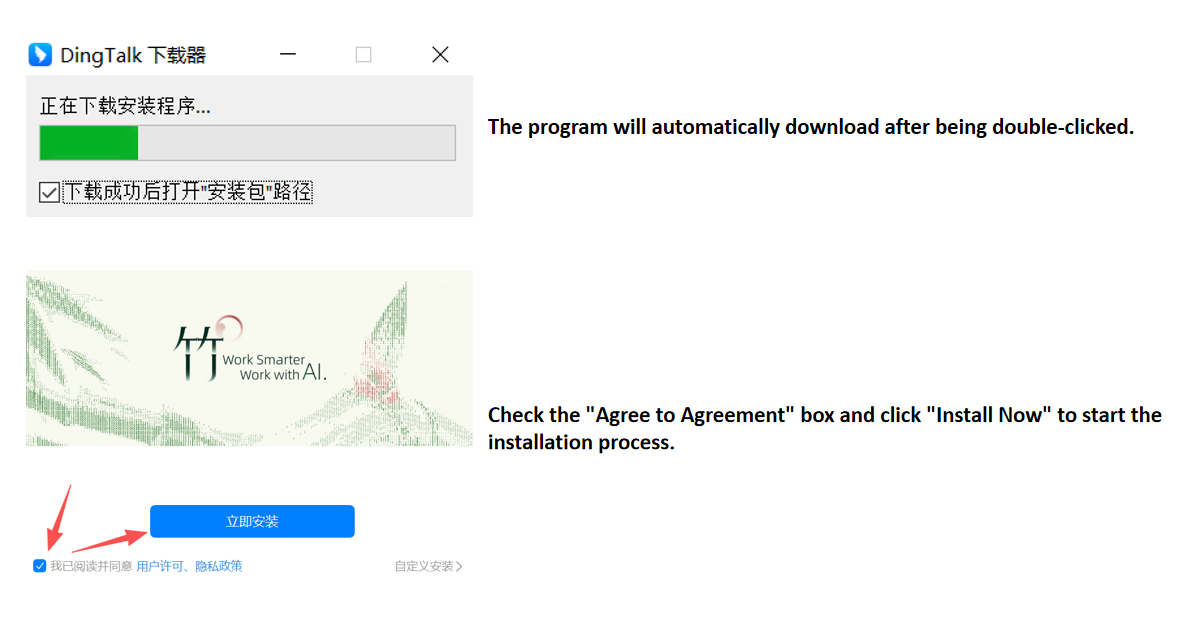
Follow the instructions shown in the picture to perform the operation
②Mac
找到自己设备中的“应用商店”搜索“钉钉”安装即可
Find the "App Store" in your device and search for "DingTalk", then install it
3.语言设置(Language Settings)
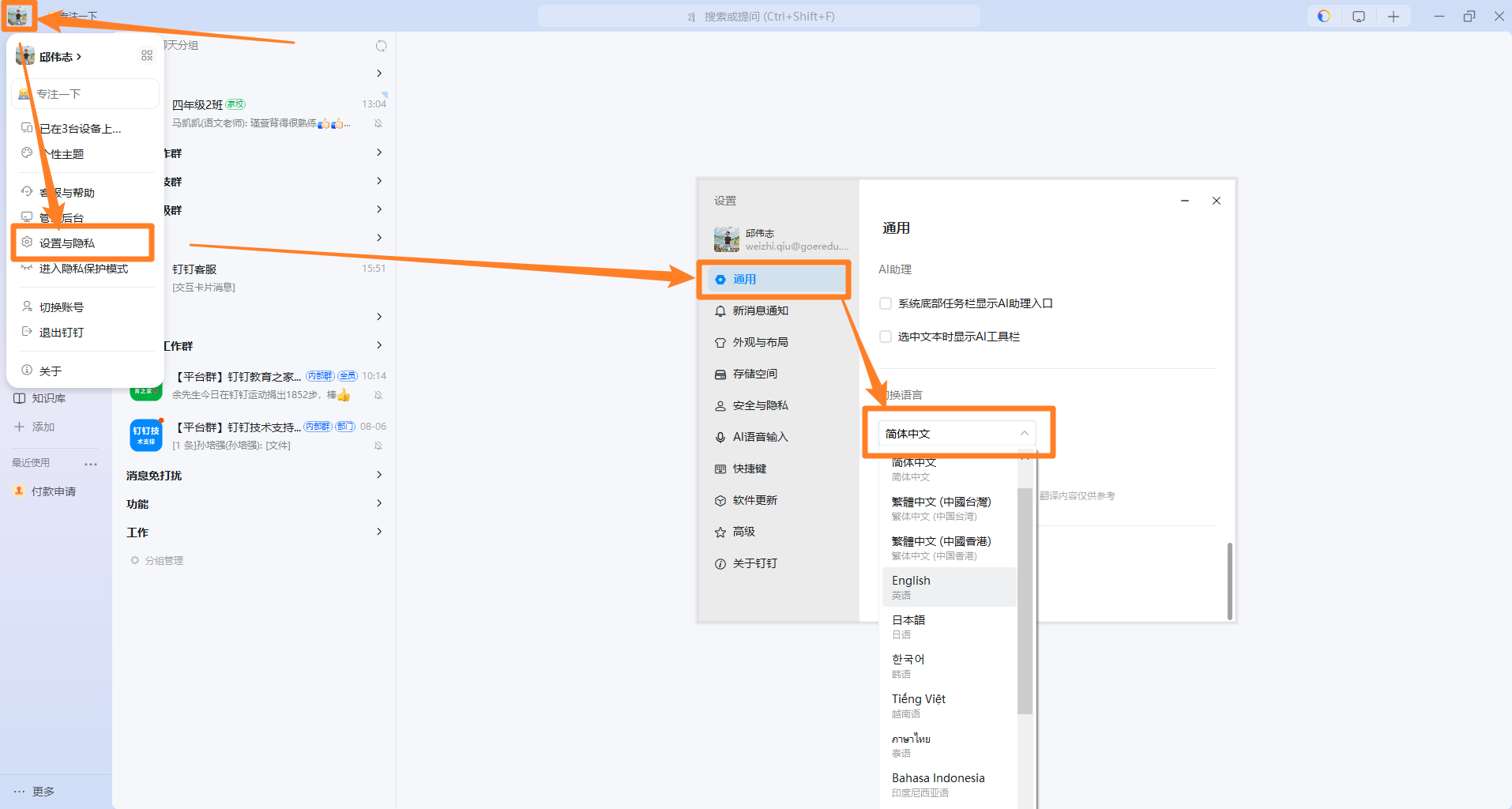
Follow the instructions in the picture to access the language settings
二、手机版
1.安装设置(Installation Settings)
找到自己手机的应用商店搜索“钉钉”下载即可,界面语言自动跟随手机系统设置,无需多余操作。
Find the application store of your mobile phone and search for "DingTalk". Then download it. The interface language will automatically follow the settings of your phone system, and no additional operations are required.